Basic Features
OpenAI
OpenAI models are state-of-the-art artificial intelligence systems designed to perform a wide range of tasks involving language understanding, generation, and processing. Powered by deep learning architectures, such as the renowned GPT (Generative Pre-trained Transformer) series, these models can generate human-like text, answer questions, assist with creative writing, perform code generation, and much more.
How to install ChatGPT locally
You need and active OpenAI subscription to get your API key.
- 1Generate your API key
Go to your OpenAI dashboard > Select
API keysfrom the side menu > Click the+ Create new secret keybutton.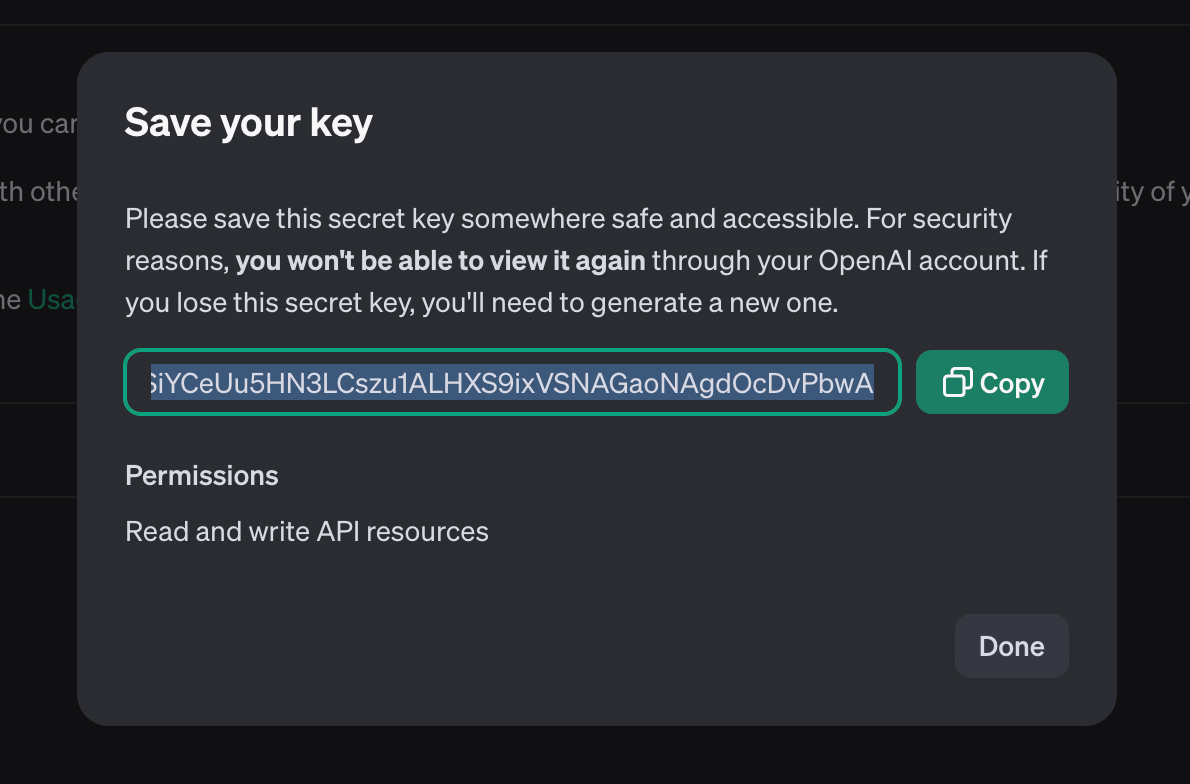 Copy the key > Go to Shinkai Desktop
 - 2Paste your API key in Shinkai
- Select the Model Type you'd like to install (i.e.,
GPT 4o, GPT 4o Mini, or Customfor other models) - (Optional) You can edit the AI Name --> This is how it will be displayed in your Chats view.
This field only accepts alphanumeric characters and underscores.
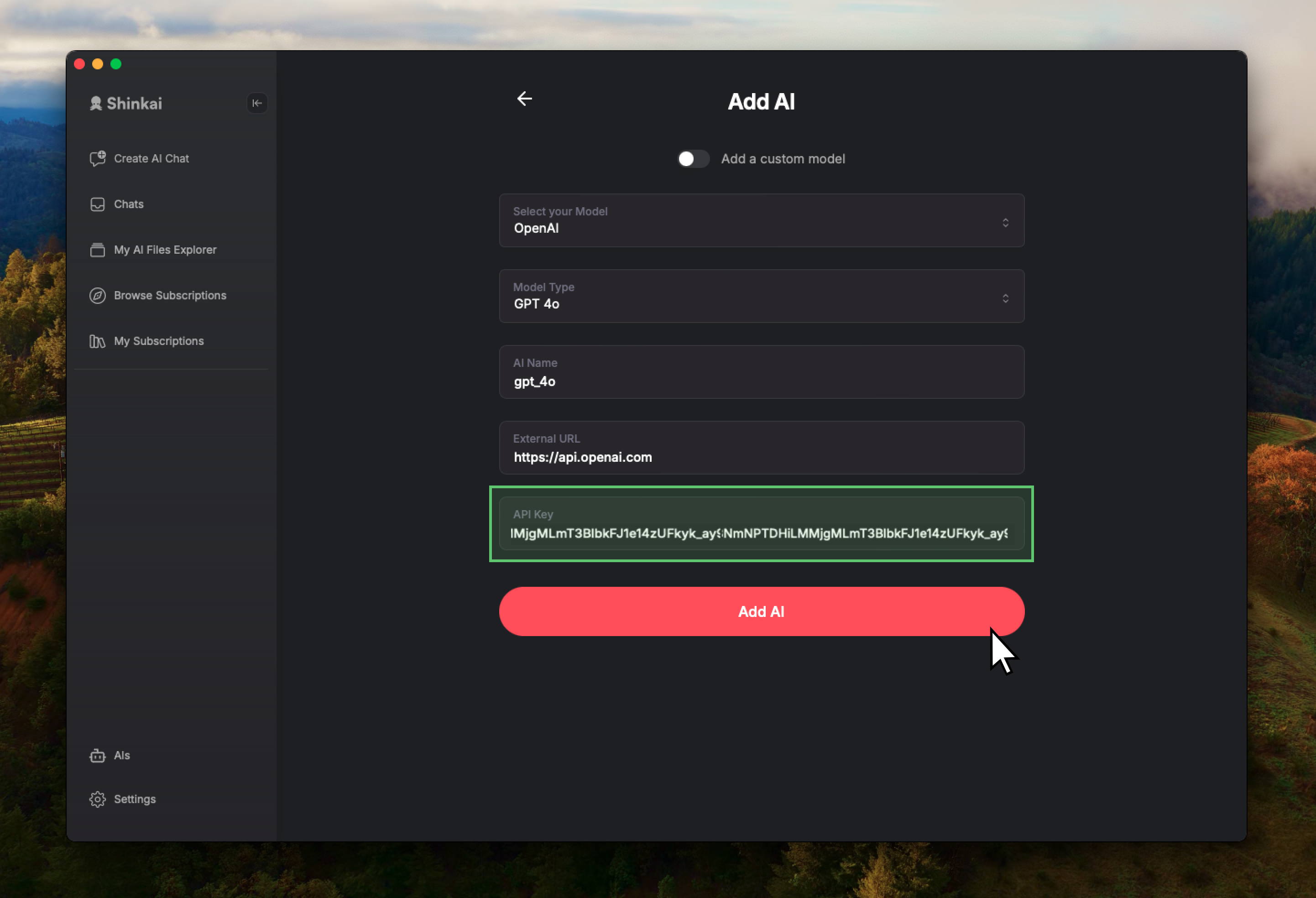
- Select the Model Type you'd like to install (i.e.,
- 3Add AI and start Chatting
Once added you will be redirected to the Chats view with your new AI selected and ready to initiate a conversation.